Last year I had the opportunity to share some thoughts on the road ahead for TiDB at the TiDB SCAILE 2025 conference.
Checkout the recording of the session below
Musings on Technology
Last year I had the opportunity to share some thoughts on the road ahead for TiDB at the TiDB SCAILE 2025 conference.
Checkout the recording of the session below
In my previous post about the TiDB-GraphQL project, I covered the idea of treating the database schema as a design surface rather than an implementation detail. Security is one area where that idea becomes concrete.
Many modern applications use a shared-credential database access model, where user identity is resolved at the application boundary (with mechanisms like OIDC and JWTs). The application then connects using a single database identity, through a connection pool, to the database.
In this model authorization is enforced in application code, middleware, or policy layers. By the time a query reaches the database, the database itself typically has no awareness of the end user. All user context has already been resolved elsewhere.
This model works well. It scales, fits managed database offerings, and keeps operational complexity of the database low. The tradeoff is that the database, the store of your application’s data, becomes largely passive from a security perspective.
Earlier in my career, I worked on systems where security was handled differently. Rigorous access control at the database layer was required by our customers. In this model the users identity was explicitly used to connect with the database, and permissions were enforced directly through grants and schema design. In short, the database determined what each user could access, and those rules applied consistently regardless of how the data was reached.
That exact model does not translate cleanly to modern, cloud-native systems. Per-user database connections do not scale well, and they complicate the ability to use tools like connection pools. However, the underlying idea stuck with me. The database does not have to be a passive participant in security.
When access rules are enforced at the database layer, they become part of the schema’s intent. Tables, views, roles, and grants together describe not just structure, but who is allowed to see what.
One of my rules of thumb is that security controls should ideally be applied at the right level, and with the right granularity. In the case of the data held in a database, ensuring that the access to the data is enforced close to the data drives makes it much easier to manage that control. Without it, similar checks have to be reimplemented in multiple places, and the database no longer reflects the full set of assumptions about data access.
For this project, I was interested in seeing how we could enable access-control that is applied at the database level, to be surfaced up to the application itself. The goal is to ensure database-level access intent is preserved without abandoning modern authentication patterns, shared connection pools, or compromising the user experience?
TiDB-GraphQL supports two models for managing data access.
First, a shared-credential database access model can be used out of the box. This is a familiar pattern, and is easy to get up and running with.
The second approach is using TiDB’s Role Based Access Control to manage the access to the database. To deliver this, it integrates with modern identity mechanisms (like OIDC and JWTs), and it continues to rely on pooled database connections. What changes is how authenticated identity is carried from the application to the database.
With the RBAC integrated model, authorized users are mapped to database roles, and all the queries and mutations execute within that role context by switching roles on pooled connections. This means the database’s existing RBAC model is used to authorize data-level access, while the application remains responsible for authentication.
In practice, this means:
At a high level, the flow looks like this:
SET ROLE In this second model, the database enforces access directly, and the API surfaces the results. You can read more about this approach in the TiDB-GraphQL project’s authentication architecture doc page.
This approach introduces its own constraints. Role management requires care. Schema design and RBAC need to be treated as first-class concerns. Some authorization logic moves closer to the data layer, which may be unfamiliar for teams used to handling everything in application code.
For many applications, traditional a shared-credential approach will remain the suitable choice. However, for systems where data-level security matters, and where the database already encodes meaningful access boundaries, this approach offers an interesting alternative.
My first exposure to GraphQL was quite a few years ago during my time at Rubrik. Initially, it was something I explored during hackathons, consuming them as a way to try out new UX ideas over the existing GraphQL APIs. Over time, GraphQL became more relevant to my day-to-day work, particularly as Rubrik began building integrations with third-party security products that needed to consume our APIs, which were exposed using GraphQL.
It was certainly a contrast to what I had worked with previously, which was mostly REST-style APIs. What stood out to me was not just the flexibility of GraphQL, but the way a schema could act as a shared point of understanding. Clients could discover what data was available, how it was structured, and how different parts of the system related to each other, without relying heavily on documentation or prior knowledge. You can see similar ideas reflected in SQL through mechanisms like INFORMATION_SCHEMA, which allow the structure of a database to be discovered directly.
Around the same time, I also came across some of the work Simon Willison was publishing on the GraphQL plugin for Datasette. Datasette is a tool for publishing and exploring SQLite databases, and its GraphQL support makes it possible to query a relational schema directly through a GraphQL API. It treated the database schema as something intentional and worth surfacing, rather than something to hide behind a bespoke API layer.
More recently, I have been working on observability requirements for TiDB. As part of that work, I wanted a simple way to generate end to end OpenTelemetry traces, from the application through to SQL execution. As I was thinking about this, those earlier ideas around GraphQL and Datasette resurfaced. Exposing a GraphQL interface from a database-centric perspective felt like an interesting problem to explore, particularly in the context of TiDB.
That exploration became the starting point for this project.
TiDB is a distributed SQL database that combines horizontal scalability with a traditional relational model, without requiring application-level sharding. In my current stint in Product Management at PingCAP (the company behind TiDB) I have been focused a lot on the core database engine, and how that engine fits into our customers broader data platform approaches.
TiDB is commonly used in environments where an elastically scalable, reliable, and secure transactional database is needed. With TiDB Cloud offering a generous free tier, it also felt like a practical platform for this kind of exploration.
I think it is fair to say that the GraphQL-way encourages a client-first approach. You start with the needs of the client, design a schema to support those needs, and then implement resolvers that fetch data from databases or services. This approach can work well in many situations and is well proven in practice.
I was interested in exploring a different approach. From my perspective, a well-designed relational model already encodes relationships, constraints, naming, and access boundaries. Those decisions are made thoughtfully, and reflect a deep understanding of the domain.
This project explores my thoughts on how an existing database structure can serve as a starting point for delivering a GraphQL API. Rather than treating the database as an implementation detail, the project uses an existing TiDB schema as the foundation and asks how much of that intent can be preserved as the data is exposed through GraphQL.
This is an experiment. It is not a full-featured GraphQL platform, and it is not intended to be production-ready. The project exists primarily as a way for me to explore different data modelling ideas and learn from the tradeoffs involved.
The current implementation focuses on a small set of concerns:
The project assumes that the underlying database schema has been designed with care. It does not attempt to compensate for poor modeling choices, and it does not try to cover every possible GraphQL use case.
Instead, the project provides a way to explore how a database-first approach feels in practice, what trade-offs look like, and where it works well or starts to show limitations.
If that sounds interesting, you can find the TiDB-GraphQL project on GitHub, and sign-up for your own TiDB Cloud service.
This week is National Coding Week. The theme for 2023 (at least according to codingweek.org) is Artificial Intelligence. I heard about this on a LinkedIn post from a former colleague who was taking this as an opportunity to learn Go.
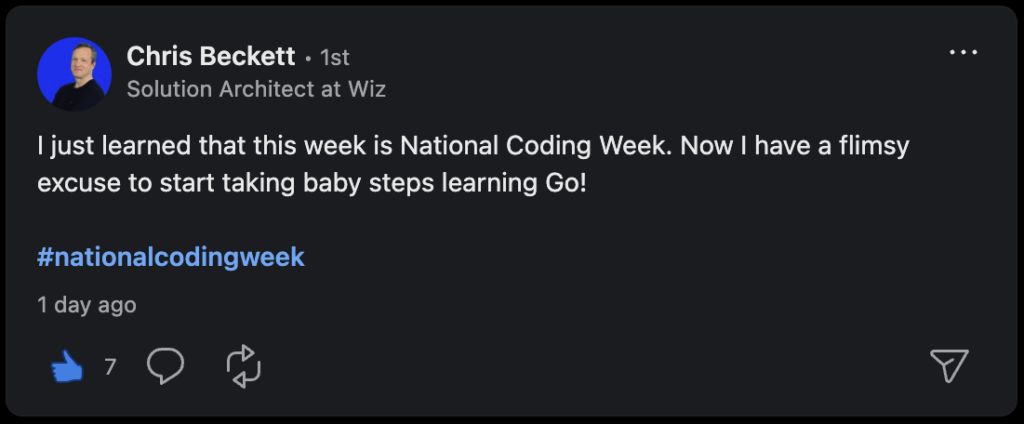
As it happens, Go is used quite a lot at my new employer, PingCAP, in their development of TiDB (a modern distributed SQL database) so I thought that making a few “experimental” changes to TiDB would be a good way to learn a new language and scratch the AI itch at the same time.
For my project I wanted to accomplish the following:
After seeing a recent blog post by Daniël van Eeden about extending TiDB with custom functions, I thought it would be interesting to follow that example and add some custom functions to TiDB. I have been looking at some of the interesting capabilities that are made available in vector databases, and thought it may be interesting to add some experimental functions that would allow users to calculate the distance between vectors.
These kinds of functions are useful for users who are storing vector embeddings and want to be able to calculate the distance between them. Measuring the distance between vectors can be used to calculate similarity between two vector embeddings persisted in a database, or it could also compare persisted vector embeddings with a vector embedding generated by a search query.
While there are definitely some more state of the art approaches to optimize performance and scaling for these kinds of vector similarity searches, for this experimental effort I have stuck with the more straightforward cosine similarity and dot product functions.
To get started with the project I relied on the detailed write up from Daniël van Eeden, as well as TiDB’s excellent developer guide.
I followed the getting started guide to set up my IDE (Visual Studio Code) on my Mac and get started.
It was remarkably easy to get the TiDB database up and running following the guide so I won’t replicate that documentation here.
My previous programming experience was primarily in Java so adjusting to some of the syntactic differences between the two was interesting. Taking a look at some of the existing examples in the TiDB code base was very helpful in figuring it out, as well as being able to dive into some of the Go documentation as needed.
The first thing I did was follow the example from the TiDB developer documentation as these custom functions will be compiled into TiDB. The initial changes I made were to update functions.go so that TIDB would recognize the function names in the SQL statements. I also updated builtin.go at this point to point to the function implementations I was going to write (as new builtin functions, compiled into TiDB).
Next, I set about defining the functions themselves. This helped me to learn a bit about how functions and methods are defined in Go. I particularly liked the ability to define multiple return values (somewhat reminiscent of returning multiple values as tuples in Haskell) to help with handling error cases. This was an interesting change of pace from Java and its use of exceptions to handle some of these cases.
I decided to extract the calculation of the Cosine Similarity to operate directly on float64 arrays. I originally did this as I was thinking of importing the functions using some library (that would have likely operated on float64’s versus the internal TiDB types), but after an initial investigation it seemed that these functions were easy enough to implement directly (for the purposes of this experimental project) so just went ahead and did that:
func Cosine(a []float64, b []float64) (cosine float64, err error) {
	if len(a) != len(b) {
		return 0.0, errors.New("Invalid vectors: two arrays of the same length were expected")
	}
	if len(a) == 0 {
		return 0.0, errors.New("Invalid vectors: two non-zero length arrays were expected")
	}

	sum := 0.0
	s1 := 0.0
	s2 := 0.0

	for i := range a {
		sum += a[i] * b[i]
		s1 += a[i] * a[i]
		s2 += b[i] * b[i]
	}
	return sum / (math.Sqrt(s1) * math.Sqrt(s2)), nil
}
I also needed to decide how to store the vector embeddings in the database. To make life easy on myself I decided that I would forgo adding a custom type and instead decided to use the JSON data type that is available in TiDB. The functions would operate on JSON arrays of numbers. To do this I used some of the useful capabilities exposed in TiDB types to convert from the JSON type to an array of float64 in Go:
func AsFloat64Array(binJson types.BinaryJSON) (values []float64, err error) {
	if binJson.TypeCode != types.JSONTypeCodeArray {
		err = errors.New("Invalid JSON Array: an array of numbers were expected")
		return nil, err
	}

	var arrCount int = binJson.GetElemCount()
	values = make([]float64, arrCount)
	for i := 0; i < arrCount && err == nil; i++ {
		var elem = binJson.ArrayGetElem(i)
		values[i], err = types.ConvertJSONToFloat(fakeSctx, elem)
	}
	return values, err
}
All the changes I made (including some basic test cases) are available in Github (see initial commit).
All of the changes I have made now enable me to easily calculate the cosine similarity and dot product of two JSON arrays in TiDB using SQL. Using the MySQL command line client (TiDB is wire compatible with MySQL) I can run SQL like the following:
mysql> SELECT 1 AS r, x_cosine_sim('[1.0, 2.0, 3.0, 4.0 ,5.0]','[1.0, 2.0, 3.0, 4.0, 5.0]') AS result
    -> UNION
    -> SELECT 2 AS r, x_cosine_sim('[1.0, 2.0, 3.0, 4.0 ,5.0]','[-1.0, -2.0, -3.0, -4.0, -5.0]') AS result
    -> UNION
    -> SELECT 3 as r, x_cosine_sim('[1.0, 2.0, 3.0, 4.0 ,5.0]','[-1.0, 2.0, 3.0, 4.0, -5.0]') AS result
    -> ORDER BY r ASC;
+------+---------------------+
| r    | result              |
+------+---------------------+
|    1 |                   1 |
|    2 |                  -1 |
|    3 | 0.05454545454545454 |
+------+---------------------+
3 rows in set (0.00 sec)For some people (like myself), having a small project to work on is a useful tool for learning a new programming language. While the code I have shared is not professional quality (and could definitely be improved and be more idiomatic) it was helpful in its goal of helping me get more familiar with the Go language and its available tooling. Thanks to Chris and Daniël for the indirect inspiration for this project!
Just a brief pointer to a useful write up of some YARA performance guides today – https://github.com/Neo23x0/YARA-Performance-Guidelines/blob/master/README.md
This write up contains a lot of good insights into performance.
Today I’ll share just a short snippet that I used to look for some specific scheduled tasks on a Windows system. Luckily windows creates XML files that are located somewhere like the C:\Windows\System32\Tasks folder. These files contain an XML representation of the scheduled tasks, and it is this that I am scanning with YARA.
Here’s a quick example of the rule:
// Detects the scheduled task on a Windows machine that runs Ransim
rule RansimTaskDetect : RansomwareScheduledTask {
    meta:
        author = "Ben Meadowcroft (@BenMeadowcroft)"
    strings:
        // Microsoft XML Task files are UTF-16 encoded so using wide strings
        $ransim = "ransim.ps1 -mode encrypt</Arguments>" ascii wide nocase
        $task1  = "<Task" ascii wide
        $task2  = "xmlns=\"http://schemas.microsoft.com/windows/2004/02/mit/task\">" ascii wide

    condition:
        all of them
}
The scheduled tasks runs a short PowerShell script that simulates some basic ransomware behavior, and this rule just matches the XML file for that task. This file is encoded in UTF-16, so the $task1 and $task2 strings simply reference some strings with the wide that are a part of the common strings found within the XML file (the start of the <Task element, and the XML namespace used to define the schema), the ascii wide modifiers searches for the string in both ascii and wide (double byte) form. The remaining string just looks for the invocation of the script as an argument to the task, and ignores the case used.
If I was looking for the presence of a task on live systems then I of course have other tools I could use, such as schtasks query. However, as I am often operating on the backups of a system being able to use this file based approach can be very helpful as it doesn’t rely on the availability of the primary system when I want to identify whether a scheduled task was present at some historical point in time.
My prior posts about examining ZIP archives have covered matching the file names within a ZIP archive, as well as matching the pre-compression CRC values of the files within the archive. In this blog I am going to reference an interesting example of parsing the OOXML format used by modern Microsoft Office products. This office format essentially is a ZIP archive that contains certain files within it (describing the office document).
Aaron Stephens at Mandiant wrote a blog called “Detecting Embedded Content in OOXML Documents“. In that blog Aaron shared a few different techniques used to detect and cluster Microsoft Office documents. One of these examples was detecting a specific PNG file embedded within documents, the image was using to guide the user towards enabling macros. The presence of the image in this phishing doc could be used to indicate a clustering of these attacks.
Given the image files CRC, size, and that it was a png file, the author was able to create a YARA rule that would match if this image file was located within the OOXML document (essentially a ZIP archive). This rule approached the ZIP file a little differently than we have in my prior couple of blogs. The author skips looking for the ZIP file entry and references the CRC ($crc) and uncompressed file size ($ufs) hex strings directly to narrow down the match. They also checked if the file name field entry ended with the ".png" extension.
rule png_397ba1d0601558dfe34cd5aafaedd18e {
    meta:
        author = "Aaron Stephens <[email protected]>"
        description = "PNG in OOXML document."

    strings:
        $crc = {f8158b40}
        $ext = ".png"
        $ufs = {b42c0000}

    condition:
        $ufs at @crc[1] + 8 and $ext at @crc[1] + uint16(@crc[1] + 12) + 16 - 4
}
In this example the condition is using the @crc[1] as the base from which the offsets are calculated, unlike our prior examples where the offsets were based from the start of the local file header. The use of the at operator tests for the presence of the other strings at a specific offset (to the CRC value in this case).
An alternative approach to consider is using the wildcard character ? in the hex string, this allows us to match on the CRC and uncompressed file size fields together while skipping over the 4 bytes used to store the compressed file size field. Then validating that the four letter .png extension is at the end of the file name field.
rule png_alt {
    strings:
        $crc_ufs = {f8158b40 ???????? b42c0000}
        $ext = ".png"

    condition:
        $ext at @crc_ufs[1] + uint16(@crc_ufs[1] + 12) + 16 - 4
}In my first exploration of analyzing ZIP files with YARA I covered how we could create a YARA rule that matched on specific file names within the ZIP archive, in this post we’ll cover a few other fields that may be of interest.
One interesting example is looking for encrypted ZIP archives, here’s the Twitter post from Tyler McLellan that I read that showed how to do this with YARA:
This snippet is first checks if the file starts with a local file header record, uint16be(0) == 0x504B, it then tests whether the first bit in the “general purpose bit flag” is set by performing a bitwise and against the flag value (to get the value of the first bit) and seeing if that is set uint16(6) & 0x1 == 0x1. This first bit indicates whether the file is encrypted or not:
4.4.4 general purpose bit flag: (2 bytes)
Bit 0: If set, indicates that the file is encrypted.
section 4.4.4 of the .ZIP File Format Specification
Another interesting field in the ZIP Archive’s header is the CRC32 of the file. This is stored at offset 14 and is 4 bytes long. If you are looking for specific files then this can help narrow it down. It should be noted that the CRC is not a cryptographic calculation, but as it is stored in the header it is very simple to check for.
rule matchFileCRC {
   strings:
        $zip_header = {50 4B 03 04}
        $crc1 = {D8 39 6B 82}
        $crc2 = {B1 81 05 76}
        $crc3 = {C2 4A 02 94}
   condition:
        // iterate over local file zip headers
        for any i in (1..#zip_header):
        (
            // match any of the CRC32 values
            for any of ($crc*):
            (
                $ at @zip_header[i]+14
            )
        )
}
The line for any of ($crc*) checks all of the defined CRC values and the line $ at @zip_header[i]+14 causes the rule to be matched if any of the CRCs we are looking for are included in the ZIP header starting at offset 14.
Taking a quick break from my Zip Archive adventures, one thing I’d be remiss not to mention is the community sharing that happens around YARA. As well as the specific YARA rules that people share, there are also a lot of insights into how to use YARA, how to craft or generate rules, and lots of other creative uses of the tool.
One example of this is the activity around #100DaysofYARA on Twitter last year that was kicked off by Greg Lesnewich. Looking through many of the tweets mentioning this Hashtag will certainly show some interesting possibilities in using YARA. I’d recommend following that hashtag on Twitter and Mastodon, seeing what comes up on January 1st 2023, and sharing your own experiments!